Complete 4-point insurance inspections on your Android tablet – electrical, HVAC, plumbing and roof – with photos taken on the spot, and print a PDF on the 4-Point Inspection Form layout before you leave.

Insurance companies often ask for a 4-point inspection on older homes before they'll write or renew a policy. The questions are always the same four systems, and the details matter: panel type and amperage, wiring hazards, water heater relief valve, roof age and remaining life. Multi Point Pro gives each of them its own section, laid out in the same order as the form.
Client details you already entered – name, address, year built – fill in automatically, and carry over if you also do a Wind Mitigation or full home inspection for the same client.
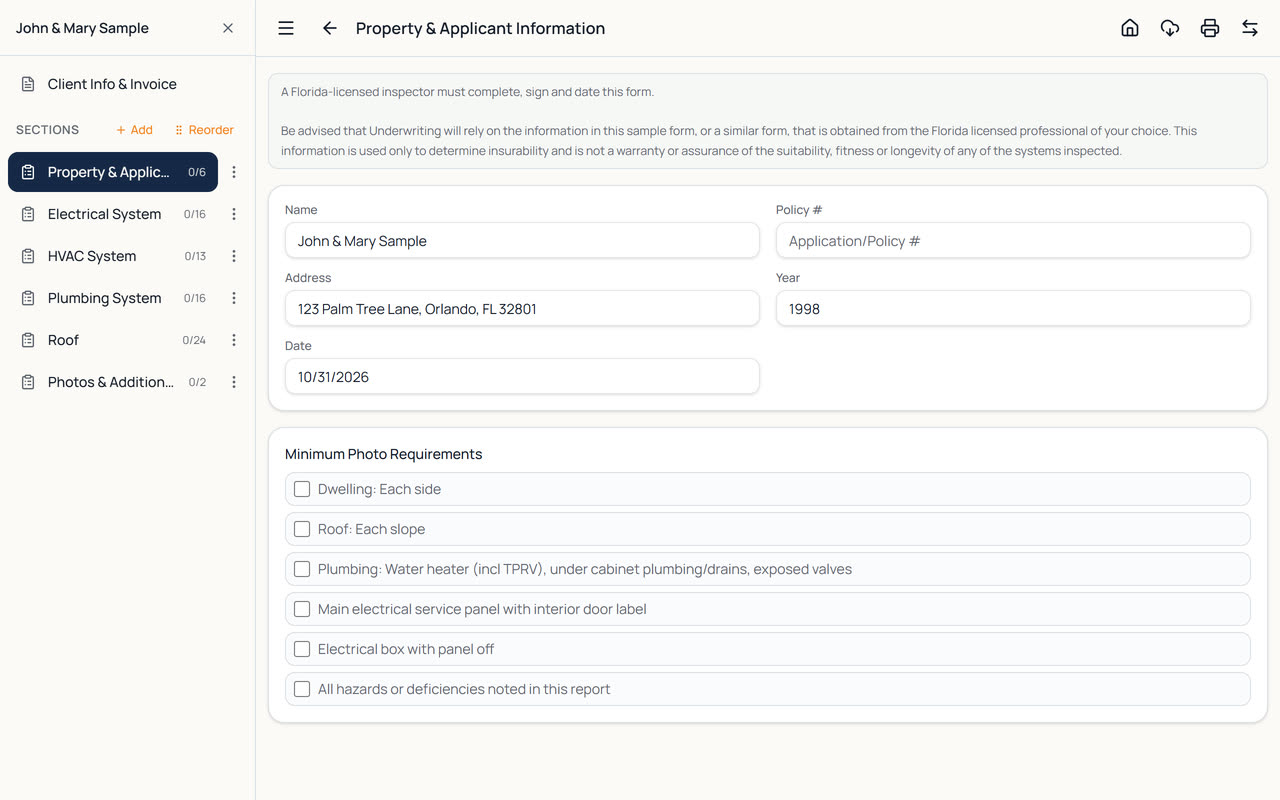
The questions underwriters ask about, made quick to answer on a tablet.
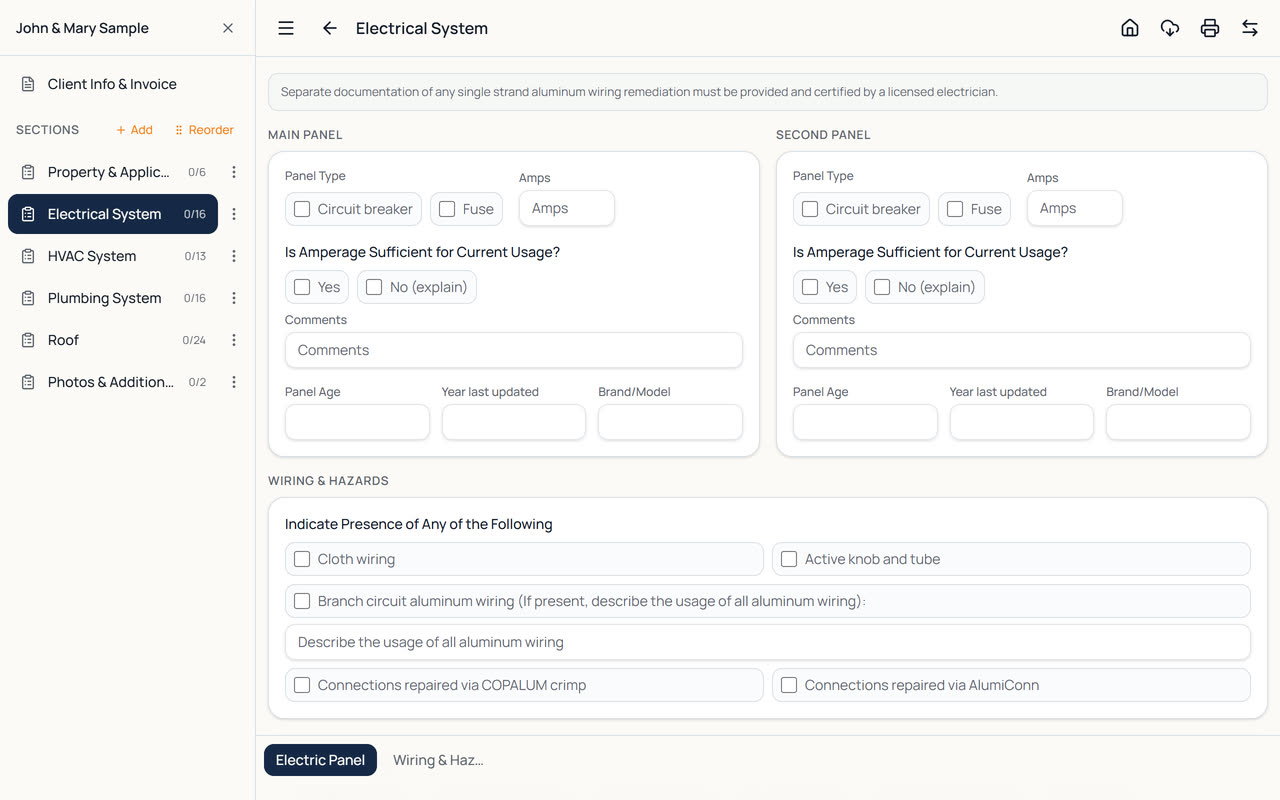
Circuit breaker or fuse panels, amperage, aluminum branch wiring with COPALUM or AlumiConn repairs, and a hazard checklist from double taps to scorching.
Tick off the form's minimum photos – each side of the dwelling, each roof slope, water heater, plumbing under cabinets, the main panel – so nothing is missed.
Record a predominant and a secondary roof separately: material, age, remaining life, last update and permit date, condition and signs of damage.
Relief valve, active or past leaks, fixture-by-fixture condition, supply and drain piping types, plus HVAC age, service date and hazards.
Measure roof pitch with the tablet's camera and tilt sensor, and add screenshots of permit records. Both print with the report.
Your signature, license number and company from Settings complete the certification on every report.
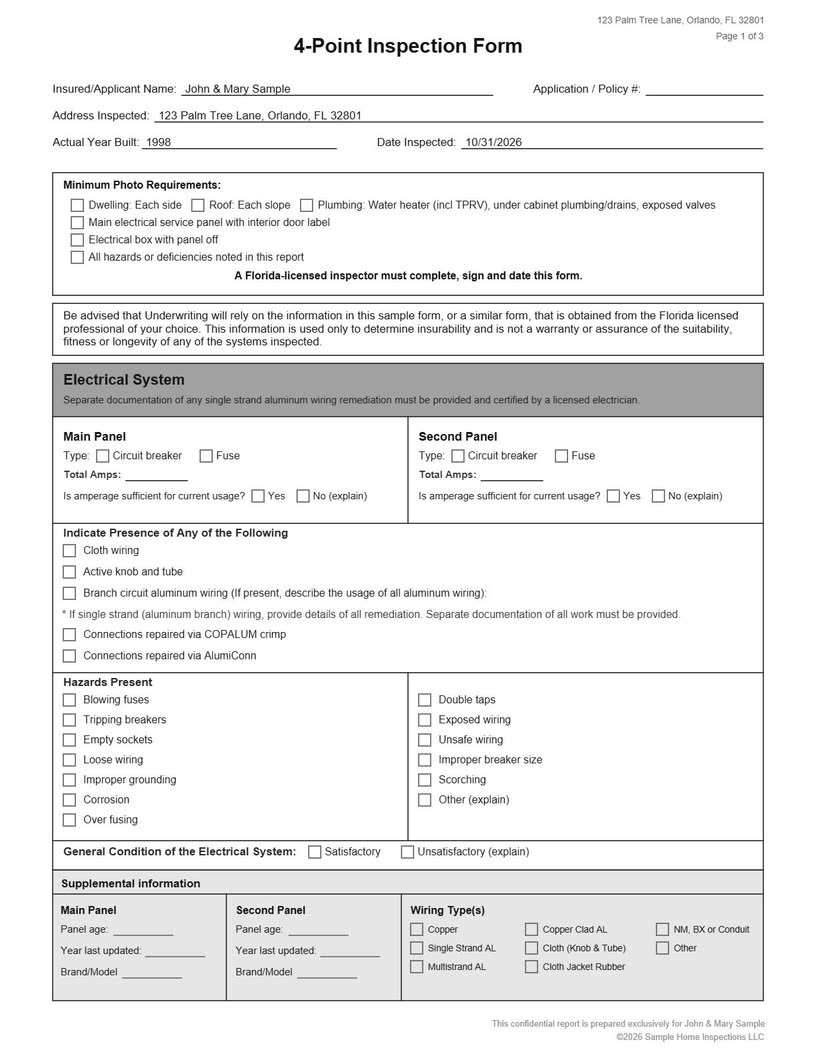
Multi Point Pro prints the 4-Point report as the form, not as a generic report: the boxed Electrical, HVAC, Plumbing and Roof sections, with your answers in place, followed by your photos and comments. Agents and underwriters see the layout they're used to.
Add your own cover page with your logo and the property photo if you like, and send the PDF straight from the tablet by email or any sharing app.
4-point forms and insurer requirements vary and change. You're responsible for checking that each report meets the requirements of the insurer you're inspecting for.
Panels in garages, water heaters in closets, roofs in rural areas – 4-point inspections happen where reception is poor. Multi Point Pro works fully offline and saves as you type. Your reports live on the tablet, and you can back them up or, on the Tablet + Web plans, sync them to the web version for the office.
Many inspectors run a 4-point and a wind mitigation inspection on the same visit. In Multi Point Pro that's one inspection with two reports: switch between them with one tap, and the client's details are shared.
Watch the Wind Mitigation and 4-Point video to see it in action.
From the first photo to the finished PDF.
Tap New Inspection, enter the client and property, and choose 4-Point Inspection as the report type.
Work through Electrical, HVAC, Plumbing and Roof, ticking the photo checklist as you take each required photo.
Tap the printer button. The report prints on the 4-Point form layout, signed with your license details.
The four main systems of a home: electrical, HVAC (heating and air conditioning), plumbing and roof. Insurance companies often ask for one on older homes. Multi Point Pro has a section for each, plus property information, photos and the inspector's certification.
Yes. The 4-Point report prints on the 4-Point Inspection Form layout, with your answers in the boxed sections, followed by your photos and comments. Requirements vary by insurer, so check that each report meets the requirements of the insurer you're inspecting for.
Yes. One inspection can hold the 4-Point, Wind Mitigation, Standard Home Inspection and Texas TREC reports for the same client. Switch report types with one tap; the client's details are shared.
Yes. The first section includes the form's Minimum Photo Requirements checklist, so you can tick off each required photo as you take it.
Yes. After you sign in once, you can complete inspections and create PDF reports with no connection – your work is stored on the tablet and saved as you type. You only need internet for sync, the AI writing help, and emailing or sharing reports.
Every new account gets a 14-day free trial with every feature and no card needed. After that, plans start at $29 a month (or $290 a year) for one inspector on one tablet. See the pricing page for the Tablet + Web and AI plans.
Every plan includes all four report types.
Home inspection report app for Android tablets: checklists, photos with markup, canned comments, invoices and branded PDF reports. Works offline.
Wind mitigation inspection app for Florida: fill in form OIR-B1-1802 on your tablet, add photos and roof pitch, and print the official form as a PDF.
Texas home inspection software for the TREC Property Inspection Report REI 7-6: I/NI/NP/D boxes, comments and photos on your tablet, PDF on the form.
Every feature included, no card needed. Plans from $29 a month after that.