Fill in the Texas Real Estate Commission's Property Inspection Report (REI 7-6) on your Android tablet – the I / NI / NP / D boxes, the form's own fields, comments and photos – and create the PDF on the promulgated form before you leave the property.

TREC-licensed inspectors use the Property Inspection Report form REI 7-6 for one- to four-family homes. Multi Point Pro's Texas TREC report follows that form word for word: the same sections, the same lettered items, and the same italic lines to fill in.
Fields such as Type of Foundation(s), Types of Roof Covering, Viewed From and Static water pressure reading sit right on the item, so you fill them in as you inspect.
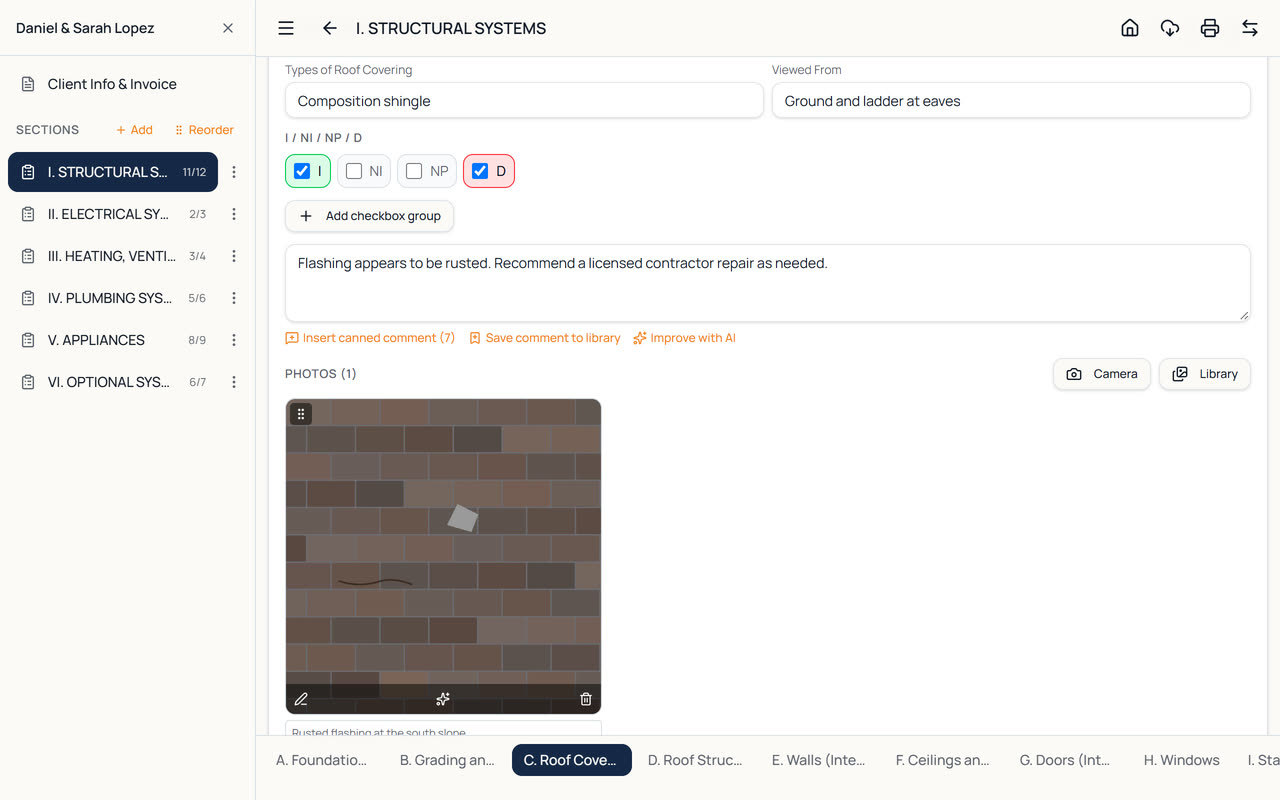
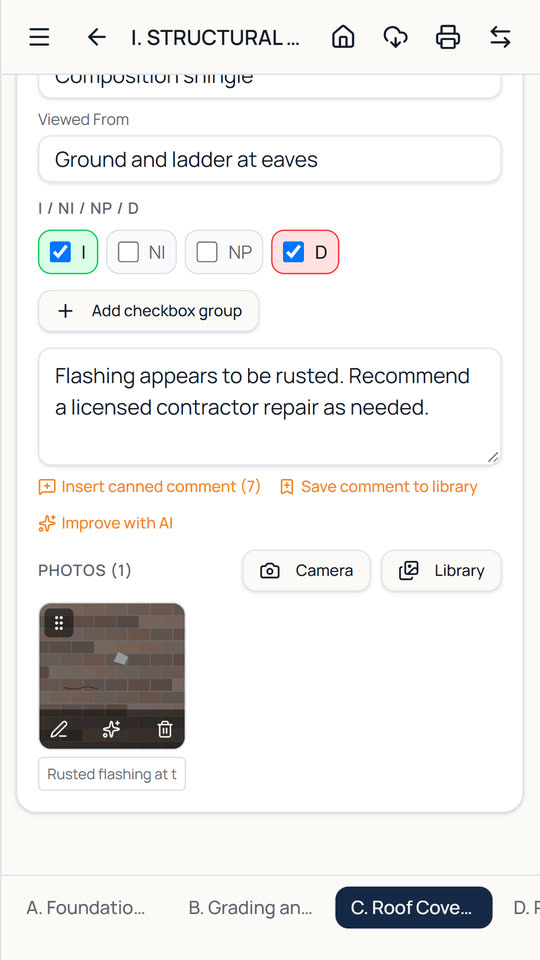
Every item has the form's four boxes, and they behave the way the form expects.
Tick I when you inspected the item. It turns green, so you can see at a glance what's done.
Not Inspected and Not Present go with I: ticking one of the three clears the other two, so an item can't be marked two ways by mistake.
D works on its own. For an item you inspected that has a problem, tick both I and D – just like the paper form. D turns red.
Each item has its own list of ready-made comments. Tap one to insert it, then edit it, or save your own wording to the library for next time.
Take photos or add them from the gallery, circle and point out defects, and add captions. They print under the item on the report.
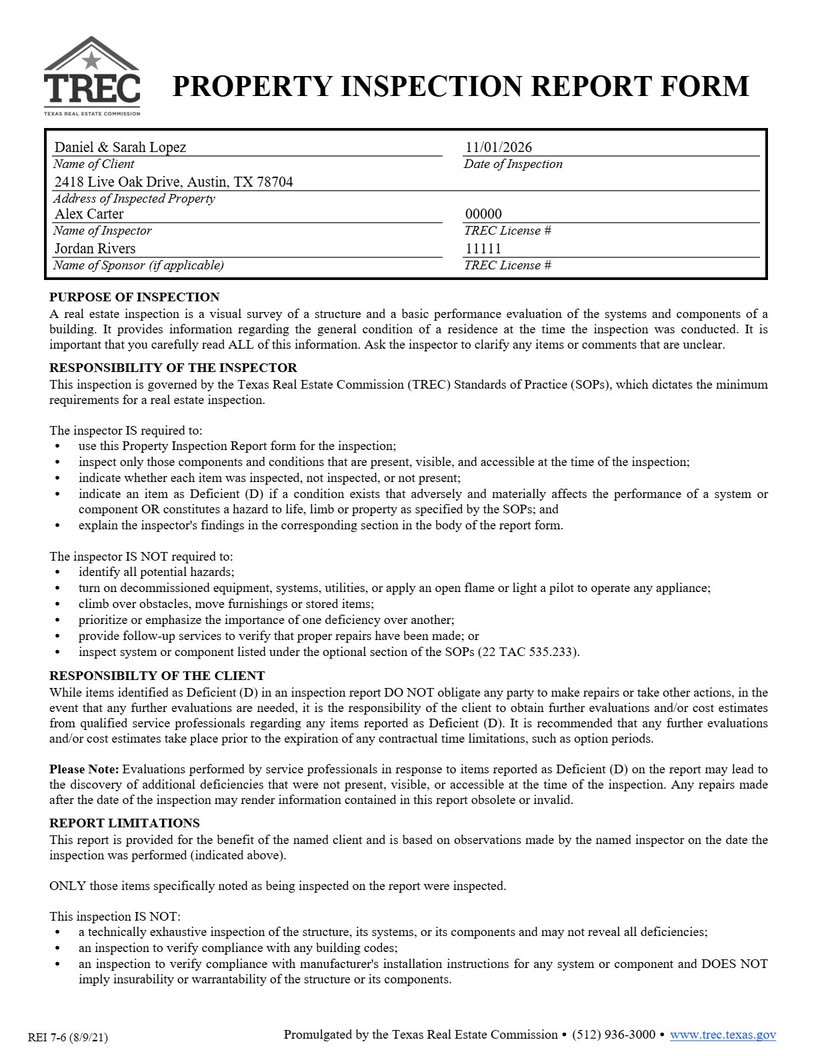
Enter your TREC license number, and your sponsor's name and license number if you have one, in Settings. They print on page 1 of every Texas report.
The Texas report prints the way REI 7-6 looks, not as a generic report with a Texas title. It contains:
The cover page can be switched off in Settings if you prefer to start straight at page 1 of the form.
Multi Point Pro works without an internet connection: everything is stored on your tablet and saved as you type, so a crawlspace or an attic with no signal doesn't slow you down. Back up any inspection to your tablet, email or cloud storage, or sync it to the web version on the Tablet + Web plans.
The same app also includes a full standard home inspection report, plus Florida wind mitigation and 4-point forms – handy if you work in more than one state or offer insurance inspections.
See it in action in the Texas TREC Reports video, or read the Texas chapter of the User Guide.
Three steps to a finished REI 7-6 report.
Tap New Inspection, enter the client and property, and choose Texas TREC (REI 7-6) as the report type.
Go item by item: tick I, NI, NP or D, fill in the form's fields, add comments and photos.
Tap the printer button. The report prints on the REI 7-6 layout, with your TREC license on page 1.
Yes. The Texas TREC report follows the Property Inspection Report form REI 7-6: the same sections, lettered items, fields and fixed text, and the PDF is laid out like the promulgated form. You remain responsible for meeting TREC's Standards of Practice.
Ticking I (Inspected), NI (Not Inspected) or NP (Not Present) clears the other two, so only one can be ticked. D (Deficient) is independent: tick it together with I for an item you inspected that has a deficiency.
In Settings, on the Company tab: TREC License #, Sponsor name and Sponsor TREC License #. They print on page 1 of every Texas report. Leave the sponsor blank if you don't have one.
Yes. Untick Add cover page to Texas TREC PDF in Settings to start the report at page 1 of the form.
Yes. After you sign in once, you can complete inspections and create PDF reports with no connection – your work is stored on the tablet and saved as you type. You only need internet for sync, the AI writing help, and emailing or sharing reports.
Every new account gets a 14-day free trial with every feature and no card needed. After that, plans start at $29 a month (or $290 a year) for one inspector on one tablet. See the pricing page for the Tablet + Web and AI plans.
Every plan includes all four report types.
Home inspection report app for Android tablets: checklists, photos with markup, canned comments, invoices and branded PDF reports. Works offline.
Wind mitigation inspection app for Florida: fill in form OIR-B1-1802 on your tablet, add photos and roof pitch, and print the official form as a PDF.
4-point inspection app for insurance inspections: roof, electrical, plumbing and HVAC on your tablet, with photos and a PDF on the 4-Point form layout.
Every feature included, no card needed. Plans from $29 a month after that.