Walk the house with your tablet, tick what you find, snap and mark up photos, and create a branded PDF home inspection report with a summary, repair estimates and an invoice – without going back to the office.

The Standard Home Inspection report covers the whole house, from the driveway to the crawlspace. Each section is split into the items you actually inspect, and each item has checkbox groups for the usual answers – material, type, condition – so most findings are a few taps.
Condition answers are color-coded – Satisfactory in green, Marginal in amber, Poor and Safety Hazard in red – so problems stand out on screen. Need something that isn't listed? Add your own checkbox, rename one, or add a whole section.
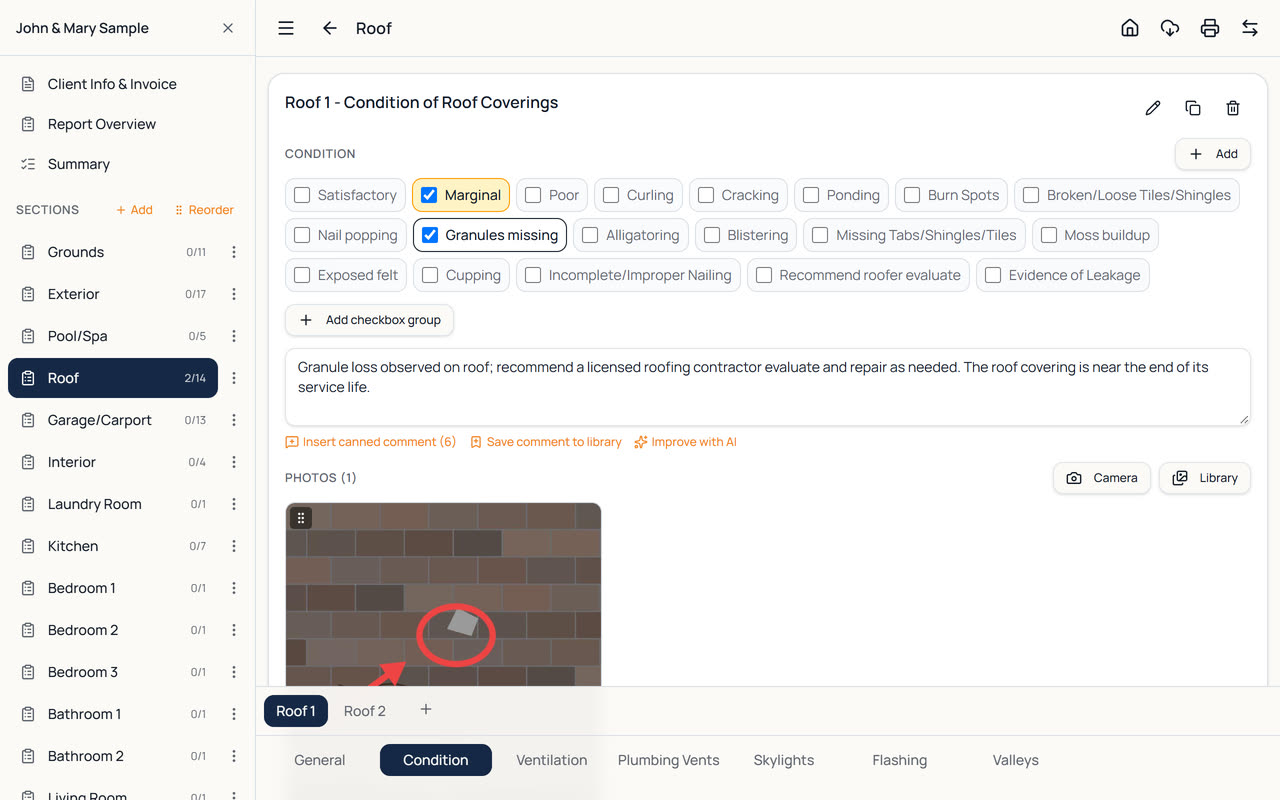
Everything you need on site, in one app.
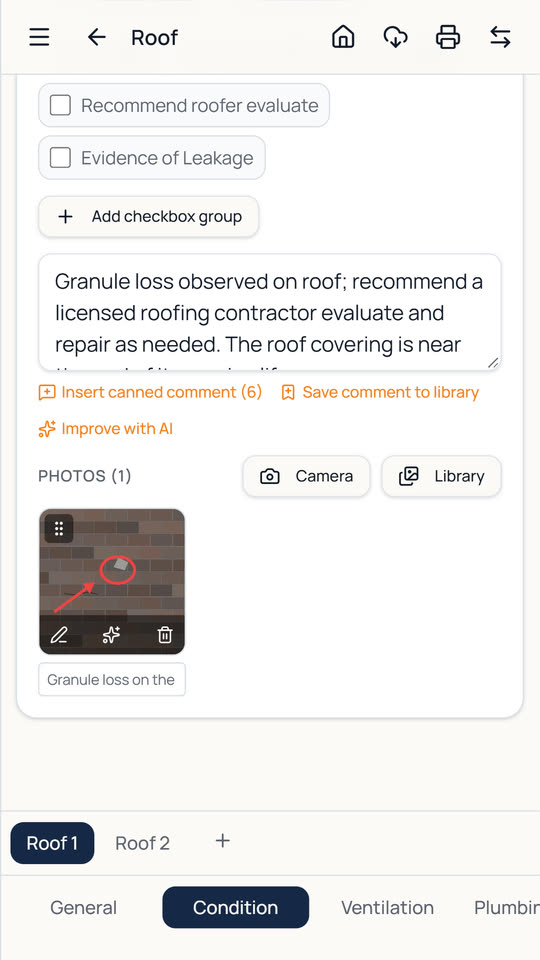
Take photos or pick them from the gallery, then circle or point out defects with arrows, add captions and drag photos into order.
Hundreds of ready-made comments, grouped by item. Tap to insert, edit freely, and save your own wording to the library.
Dictate comments on the tablet. On the AI plan, Improve with AI rewrites a comment in clear, professional wording, and AI can describe a photo.
Every item you comment on is gathered into a Summary of Findings near the front of the report, linked to the full item. Edit the summary wording without changing the item.
List estimated repair costs with your own disclaimer and add them to the report when you choose to.
Bill the client from the same app: services, prices, tax, discount and paid status – in the report or as a PDF on its own.
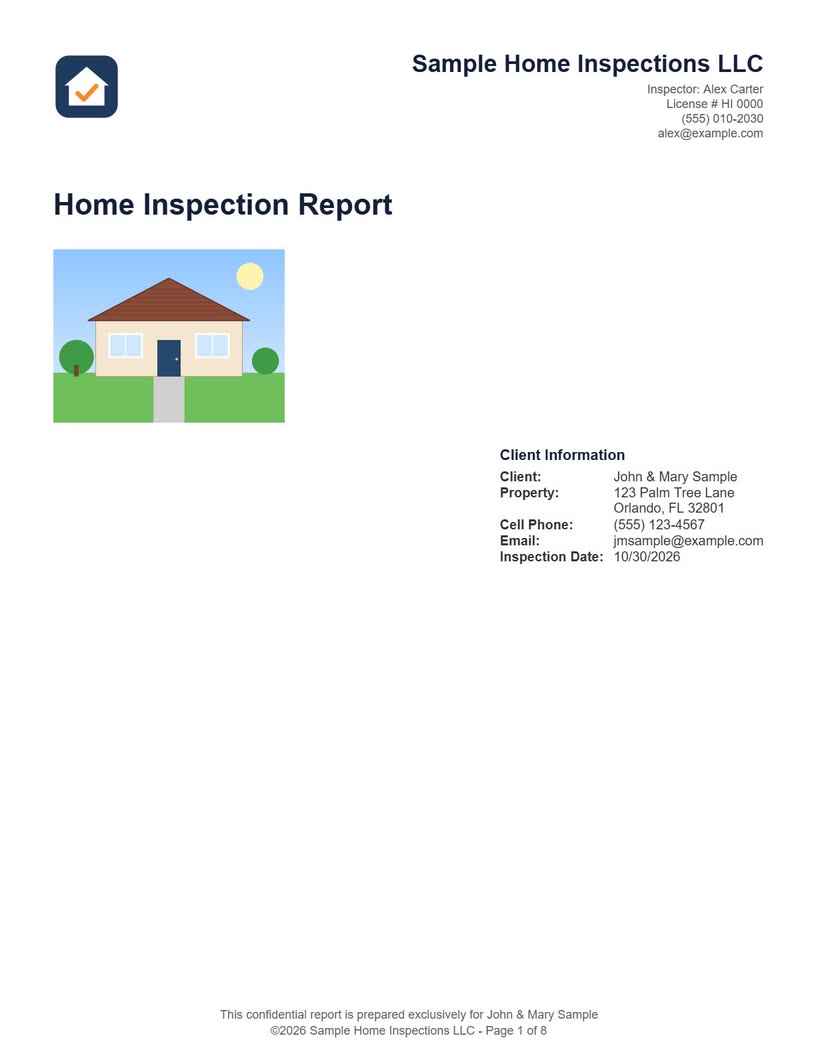
Your report opens with your logo, company details, the property photo and the client's information, on one of the ready-made cover page designs or your own. Choose the colors of the headings and section titles to match your brand.
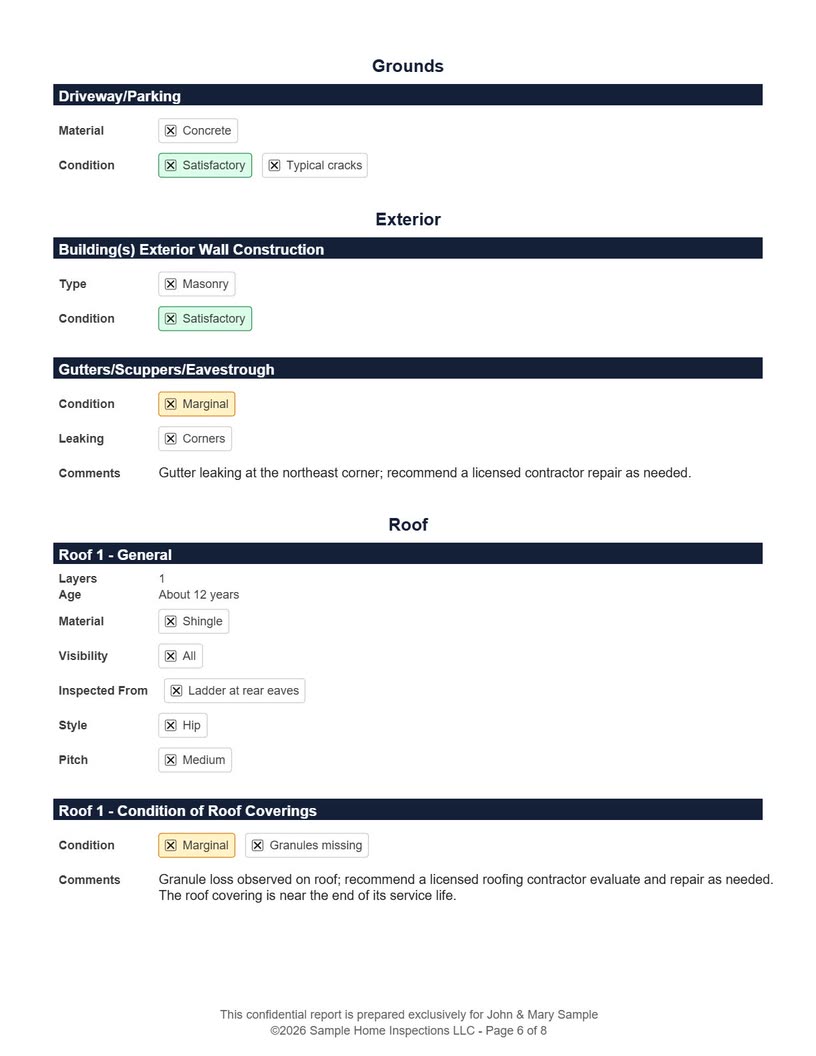
After the optional invoice, Report Overview, summary and repair estimates, every section you filled in follows with checked answers, comments and photos. Items you left blank are left out, so the report stays readable.
Photo Size in Settings keeps reports small enough to email, and on a tablet the finished PDF opens straight away to email, share or print.
Multi Point Pro stores your inspections on the tablet and saves as you type, so it works in basements, crawlspaces and rural areas with no signal. Save a backup to the tablet or send it to email or cloud storage at any time.
On the Tablet + Web plans, your inspections sync to the web version so you can finish the report at your desk, and an office can work on the same reports.
The same app includes the Florida wind mitigation form OIR-B1-1802, the 4-point inspection form and the Texas TREC REI 7-6 report – all for the same client in one inspection. Twelve short how-to videos and the illustrated User Guide get you started in minutes.
How a standard home inspection works in Multi Point Pro.
Add a property photo, the client and the address, the number of bedrooms and bathrooms, and choose Standard Home Inspection.
Tick what you find, add canned or dictated comments, and take and mark up photos as you go.
Tap the printer button for a branded report with summary, photos and – if you like – the invoice.
A branded first page, then – if you include them – the invoice, Report Overview, summary of findings and estimated repair costs, followed by every section you filled in with checked answers, comments and photos.
Yes. Add your own checkboxes and sections, rename them, and keep your own comments in the library. The built-in templates can't be edited directly, but you can duplicate one and change your copy.
Yes. Draw arrows and circles in your choice of color and thickness, add captions, rotate photos and drag them into order. The markup prints in the PDF report.
Yes. The same app includes the Wind Mitigation (OIR-B1-1802), 4-Point and Texas TREC (REI 7-6) reports, and one inspection can hold all of them for the same client.
Multi Point Pro is made for Android tablets, and also runs on Android phones. The Tablet + Web plans add a web version for your office computer, synced with your tablet.
Yes. After you sign in once, you can complete inspections and create PDF reports with no connection – your work is stored on the tablet and saved as you type. You only need internet for sync, the AI writing help, and emailing or sharing reports.
Every new account gets a 14-day free trial with every feature and no card needed. After that, plans start at $29 a month (or $290 a year) for one inspector on one tablet. See the pricing page for the Tablet + Web and AI plans.
Every plan includes all four report types.
Wind mitigation inspection app for Florida: fill in form OIR-B1-1802 on your tablet, add photos and roof pitch, and print the official form as a PDF.
4-point inspection app for insurance inspections: roof, electrical, plumbing and HVAC on your tablet, with photos and a PDF on the 4-Point form layout.
Texas home inspection software for the TREC Property Inspection Report REI 7-6: I/NI/NP/D boxes, comments and photos on your tablet, PDF on the form.
Every feature included, no card needed. Plans from $29 a month after that.